
Questions, answered.
Making a card, saving it, sending it, and what happens to your photo. If your question isn’t here, ask me.
Making a card
The short version: pick a design, make the words yours, then download or send it.

Do I need an account to make a card?
No. You can browse cards, personalize one, download it and share it without an account. How it works walks through every step.
Are the cards free?
Yes. Browsing, personalizing, downloading and sharing cards are all free. The cards you make are for your own personal use: to print, send or share with the people you made them for. The terms have the details.
Can I change the wording?
Yes. Every design starts with a message written for its occasion, and you can keep it, change a few words or replace it completely. Add who it's to and who it's from. On some designs the headline is part of the artwork; the message, the names and the Little Lesson are always yours to change. If you're stuck, “Need a little help?” suggests a rewrite of what you've written; to do that, your message is sent to an AI writing service.
Can I use my own photo?
On designs that have room for one, yes. Choose Photo / Image while you personalize, pick a picture from your phone or computer, and move it until it sits right. Not every design has a photo space.
What is a Little Lesson?
A short, warm line that sits beneath your message, like a small thought to take away. Pick one that suits the moment, or choose none. A few designs, such as the invitations, don't have one.
Can I use wording from the Things to Say pages?
Yes, that's what they're for. Every line in Things to Say can be copied, and many have “Use this message in a card”, which opens a matching card with those words already in the message box, ready to change.
Saving and accounts
Nothing here needs an account until you want to keep a card for later.
Do I need to sign in to make a card?
No. Signing in is only for keeping cards in your account. Without signing in, your browser still remembers the words you write for each card, on that device, until you clear this site's data.
When would I need an account?
When you want to save a card or a draft to come back to later, on any phone or computer you sign in on, or keep favourites. If you choose Save draft or Save to my cards while you're signed out, you'll sign in first and then come straight back to the card. You can sign in with your email address (we send you a sign-in code) or with Continue with Google.
What are saved cards?
Save to my cards, in Finish & Share, keeps the finished card in your account, under My cards. A saved card keeps the design, the words and your choices, but never your photo: if the card used one, you'll be asked to add it again when you open it.
What are drafts?
Save draft keeps a card you're still working on, so you can finish it later. Drafts appear under My cards too. Once a draft is saved as a card, the button becomes Save changes.
What are favourites?
When you're signed in, the heart on a card in Browse cards keeps that design in your favourites, so you can find it again. A favourite is a design you like, not a card you've written.
Downloading and sharing
Everything happens in Finish & Share once your card looks right.
How do I download my card?
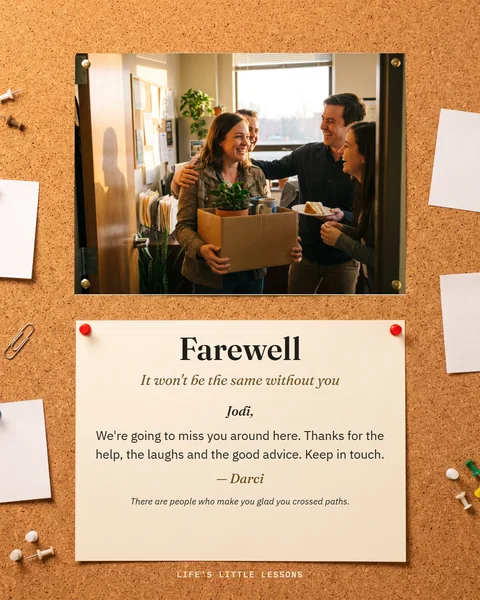
Open Finish & Share and choose Download card. You get a full-size picture of the card, ready to print or post.
Can I print my card?
Yes. Open Finish & Share and choose Print card. The card prints on its own, centred with a half-inch margin, as one flat page rather than a folded card. If no print window opens, your browser may not print from there. Choose Download card and print the picture instead.
Where does the downloaded card go?
On a computer, your Downloads folder. On an Android phone, your Gallery app or the Downloads folder. On an iPhone it usually goes to the Files app, in Downloads; to post it from Facebook or Messenger, save it to Photos first. How it works shows each step.
Can I share directly to Facebook?
Yes. In Finish & Share, choose Facebook. On a computer, Facebook opens in a new tab with your card ready to post; on a phone, choose Facebook from the menu that appears. The post shows a smaller preview, and anyone who taps it sees the whole card.
Can I share to Instagram?
Yes. On a phone, choose Instagram from the share menu, then Feed or Story. The card goes as a square, so Instagram doesn't cut any of it off. On a computer, the card is saved to your Downloads and Instagram opens, so you can make a new post and pick it.
Can I send it in Messenger?
Yes, privately to one person or a group. On a phone, choose Messenger from the share menu. On a computer, Messenger opens with your card's link already copied: open the conversation, paste it and send.
What does Copy link do?
It copies a link to your finished card. Paste it into a text, an email or any message, and whoever opens it sees the card.
Does the person I send it to need an account?
No. Anyone you give the link to can open it without signing in.
How long does a shared link work?
Thirty days. After that the link stops working and the card's image is deleted from our active storage within about an hour. A deleted image can remain in our database provider's recovery history for up to 30 days. If you'd like to keep the card for longer, download it.
Who can see a shared card?
Anyone who has the link, and anyone they pass it to. The link shows only the finished card: the words, the names and any photo on it. It never shows your account, drafts or saved cards.
Photos and privacy
Your photo stays with you unless you choose to share the finished card.

What happens to a photo I upload?
It's processed in your browser, on your own device. Adding a photo, editing the card and downloading it don't upload your photo to us.
Is my original photo stored?
No. The original photo file isn't uploaded or stored, including when you save a card to your account. That's why a saved card asks you to add the photo again.
What is stored when I create a share link?
Facebook, Messenger and Copy link upload an image of the finished card: the words, the names and any photo on it. It doesn't include your account information, drafts, saved cards or the original photo file. The image is kept for the 30 days the link works, then deleted; it can remain in our database provider's recovery history for up to 30 days after that. To limit misuse we also count how many links are made from each network address, stored only as a coded value and deleted within about three hours. Sharing through Instagram saves the picture to your device instead.
Are shared cards public?
Not in the sense of being listed anywhere. Card links use random addresses, aren't in a public gallery and aren't meant to turn up in search results, so the people who see your card are the people you send it to and anyone they pass it on to. Anyone who has the link can open it, though, so share it the way you'd share a photo. The privacy policy has the details.
Invitations
The same studio, for the times you're the one doing the inviting.
Can I make invitations?
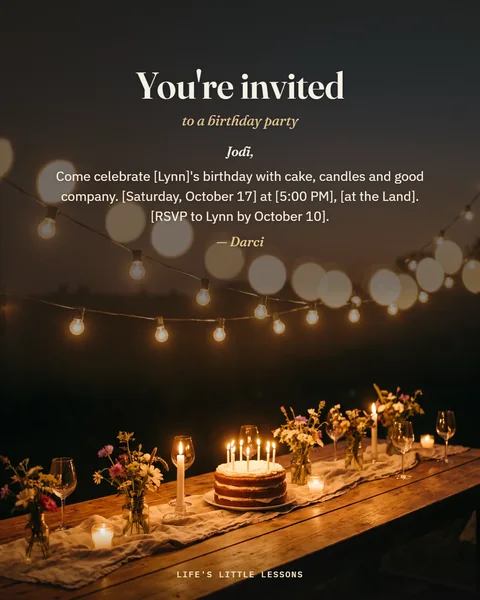
Yes. Invitations has designs for birthday parties, milestone birthdays, weddings, engagements, baby showers, holidays, housewarmings, dinners, business events and more. For the wording, the invitation wording guide opens lines straight into a matching design.
Can I change the date, time, place and RSVP wording?
Yes. Each invitation starts with wording that has the details in [square brackets]: the date, the time, the place and who to reply to. Replace them with your own, or rewrite the message completely. The invitation's headline is part of its design.
Are there photo invitations?
Yes. A few invitation designs have a photo window: for a milestone birthday, a graduation, an engagement and a birth announcement. Your photo stays on your device, the same as on any card.
Can I share invitations the same way as cards?
Yes. Invitations use the same Finish & Share: download, Facebook, Instagram, Messenger or Copy link, with the same 30-day links.
When something goes wrong
A few things people run into, and what to do about them.
My card did not download. What should I try?
Try Download card once more, and check whether your browser is asking permission to download or blocking it. On a phone, look in the places listed under “Where does the downloaded card go?” above, since the download may have worked quietly. If it still doesn't work, try another browser, or use Copy link instead, and let me know.
I can't find my downloaded card.
On a computer, look in Downloads. On Android, check Gallery, then the Downloads folder. On an iPhone, open the Files app and look in Downloads. The file name starts with the name of the design and the person it's for. How it works has pictures of each step.
Facebook is showing the preview differently than expected.
When you share with the Facebook button, Facebook shows a smaller preview of the card, and tapping it opens the whole card. That's Facebook's link preview, not a problem with your card. If you'd rather the full card sits in the post itself, download it and post it as a photo.
I can't find a saved card.
Check that you're signed in with the same email address, or the same Google account, that you used when you saved it. Cards appear under My cards only after Save draft or Save to my cards. Words you typed without saving are remembered only in the browser you used, and a favourite is a design, not a card you've written.
Something is not working. How do I contact you?
Please get in touch and say what you were doing, which card it was, and whether you were on a phone or a computer. A screenshot helps a lot.
Still stuck, or just curious?
Email me with anything that isn’t answered here. For a walk-through with pictures, the How it works guide shows every step.
 © Life's Little Lessons · Saskatchewan, Canada